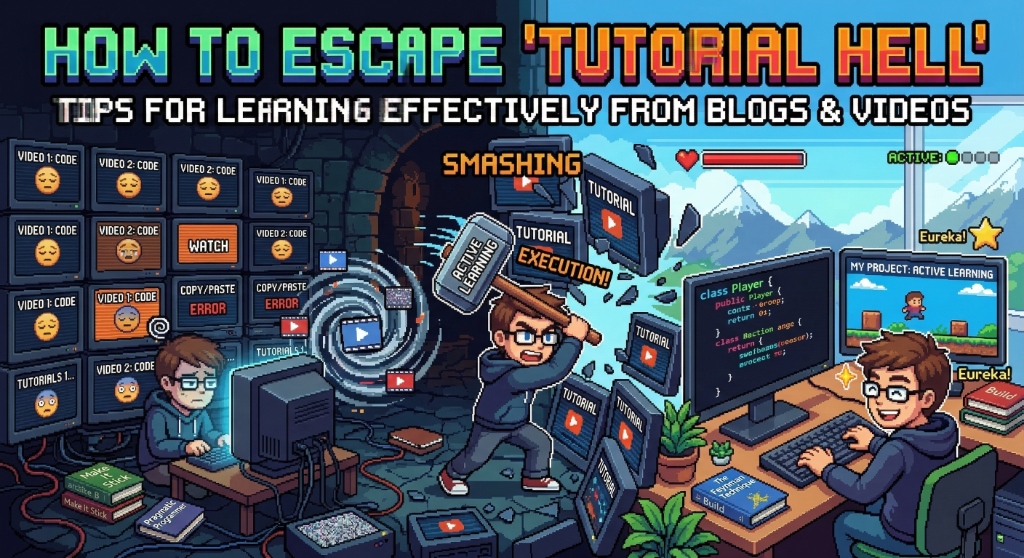
Have you ever sat for hours following a step-by-step tutorial on YouTube or reading a blog post to the very end, successfully getting the app to run without errors, only to completely blank out when asked to build the exact same feature from scratch the next day?
If so, welcome to the phase often called Tutorial Hell. It's the illusion of competence where we feel like we've mastered a skill just because we followed instructions, when in reality, we were merely copying without grasping the underlying logic.
To break out of this vicious cycle, learning from a blog or video requires an active strategy, rather than just passively watching like it's a Netflix show. Here are some effective tips you can apply before you copy your next line of code:
1. The Mindset Prep: Active Recall
In the book Make It Stick: The Science of Successful Learning, there is a concept called Active Recall. When we hit a roadblock or encounter an error, our first instinct is usually to immediately search for a tutorial or ask on a forum.
From now on, try to resist that urge. Give your brain a moment to work a little harder by trying to recall the syntax from memory or skimming the official documentation first. The "struggle" of retrieving that information is exactly what makes the memory stick in your brain much longer.
2. Executing the Tutorial
a. The Golden Rule: Do Not Copy-Paste
This is absolutely crucial, especially when you are adapting to a completely new programming language or framework ecosystem, like jumping into Swift and UIKit for the first time. Type the code manually. Your fingers and your brain need to get used to the structure and boilerplate of the code. Typing it out yourself also forces your eyes to catch small details like punctuation or capitalization that frequently cause bugs.
b. Break Things on Purpose
Borrowing a philosophy from The Pragmatic Programmer, don't just be a submissive follower. After typing out the code, tweak the variables a bit. If the tutorial teaches you how to build a specific UI component, try changing the logic so the component reacts to a different state or adjusts to various screen sizes. If the app crashes or throws an error because of your changes, great! That error is exactly where real learning and debugging happen.
3. The Real Test (Post-Tutorial)
a. The Feynman Technique
As soon as the video or article is over, close the tab. Try explaining the architectural concept or logic flow you just learned as if you were teaching it to a beginner or a college classmate. If you find yourself struggling to put it into words or stumbling over your explanation, it means there are fundamental concepts you've missed.
b. Build a Parallel Project
This is the ultimate test. Don't just stop at the tutorial's final output. If the tutorial you followed was about building a "To-Do List" app, use the exact same CRUD (Create, Read, Update, Delete) logic to build something else—for instance, a "Monthly Expense Tracker" or a "Workout and Bulking Tracker".
Building a project in a completely different problem domain will prove whether you truly understand the logic, or if you just memorized the steps.
Learning a new technology is like running a marathon, not a sprint. Tutorials and blog articles are the signposts, but your own feet have to do the running. Don't be afraid to make mistakes, because that's where experience is forged! 💪
What books or methods are usually the most effective for you when learning something new? Let's discuss in the comments! 🚀