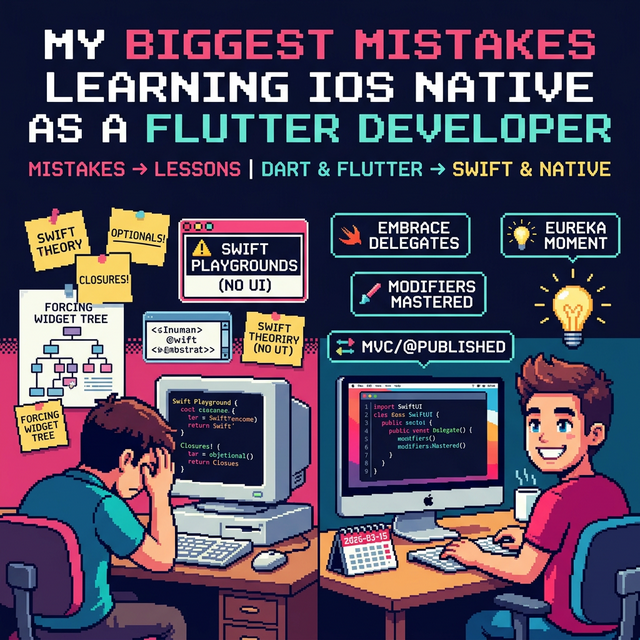
Making the jump from cross-platform development with Flutter to native iOS development is an exciting milestone. But let's be honest: shifting your mindset from a framework where you have ultimate control over every pixel with a simple widget tree to Apple's native ecosystem is not without its hurdles.
Looking back at my own learning process, I stumbled into quite a few traps. If you are a Flutter developer currently trying to learn Swift, UIKit, or SwiftUI, here are the biggest mistakes I made, and how you can avoid them:
1. Studying Swift Theory Before Touching Xcode
This was my absolute biggest mistake. I spent way too much time reading about Swift syntax, Optionals, Closures, and Protocols in a Playground without actually building a user interface.
As a mobile developer used to Flutter's visual and immediate feedback, learning language theory in a vacuum quickly became boring and killed my motivation.
The Fix: Jump straight into Xcode and start building simple UIs. Swift syntax makes so much more sense when you see it applied directly inside a View or a ViewController. Build first, understand the deep language theory later.
2. Forcing the "Everything is a Widget" Mindset
In Flutter, we are conditioned to wrap absolutely everything in a Widget, even padding, margins, and alignments. When I first moved to iOS, I tried to force this deeply nested architectural approach.
If you try to apply this tree-layering mindset to UIKit, your code will quickly turn into an unmaintainable mess. Even in SwiftUI, things work differently.
The Fix: Let go of the Flutter mindset. Embrace native iOS concepts like Delegates and Auto Layout (if you are learning UIKit), or get comfortable with how View Modifiers work sequentially in SwiftUI.
3. Rushing to Find "BLoC" or "Provider" Alternatives
Because the Flutter ecosystem relies heavily on third-party state management libraries like BLoC, Riverpod, or Provider, my first instinct upon creating an iOS app was to search for the exact same external libraries.
I ignored the fact that iOS has its own built-in paradigms that have worked for years.
The Fix: Learn to use Apple's first-party solutions before reaching for external packages. Understand how the MVC (Model-View-Controller) pattern works with the Delegate pattern in UIKit, or master @State, @Binding, and @Published in SwiftUI.
4. Fighting Xcode (and Missing VS Code)
Flutter developers are usually very comfortable with the lightweight, snappy nature of VS Code. Opening Xcode for the first time feels heavy, foreign, and confusing, especially when dealing with Provisioning Profiles or the Info.plist. I spent too much time complaining that Xcode didn't have certain VS Code features.
The Fix: Stop fighting the IDE. Xcode is your primary weapon in the Apple ecosystem. Dedicate specific time to learn Xcode shortcuts, understand how the Interface Builder works, and figure out how to read its specific error logs.
5. Ignoring Apple's Human Interface Guidelines (HIG)
With Flutter, it is incredibly easy to draw custom, wild UIs that look identical on every platform. When I moved to native iOS, I tried to build overly custom interfaces, completely ignoring standard Apple navigation.
The Fix: Let native feel native. iOS users expect specific behaviors,like swiping back from the edge of the screen, or the standard look of a Tab Bar. Reading Apple's Human Interface Guidelines is just as important as writing the code itself.
Transitioning tech stacks is challenging but incredibly rewarding. Leaving the comfort zone of Hot Reload to understand the underlying native systems will ultimately make you a much stronger mobile engineer.
Are you a cross-platform developer making the jump to native? What has been your biggest struggle so far? Let me know in the comments! 🚀